Provision
⦾ Why does the provisioning status of Ubuntu remote servers remain stuck at ‘bmcready’ or ‘powering-on’ in cluster.nodeinfo (omniadb)?
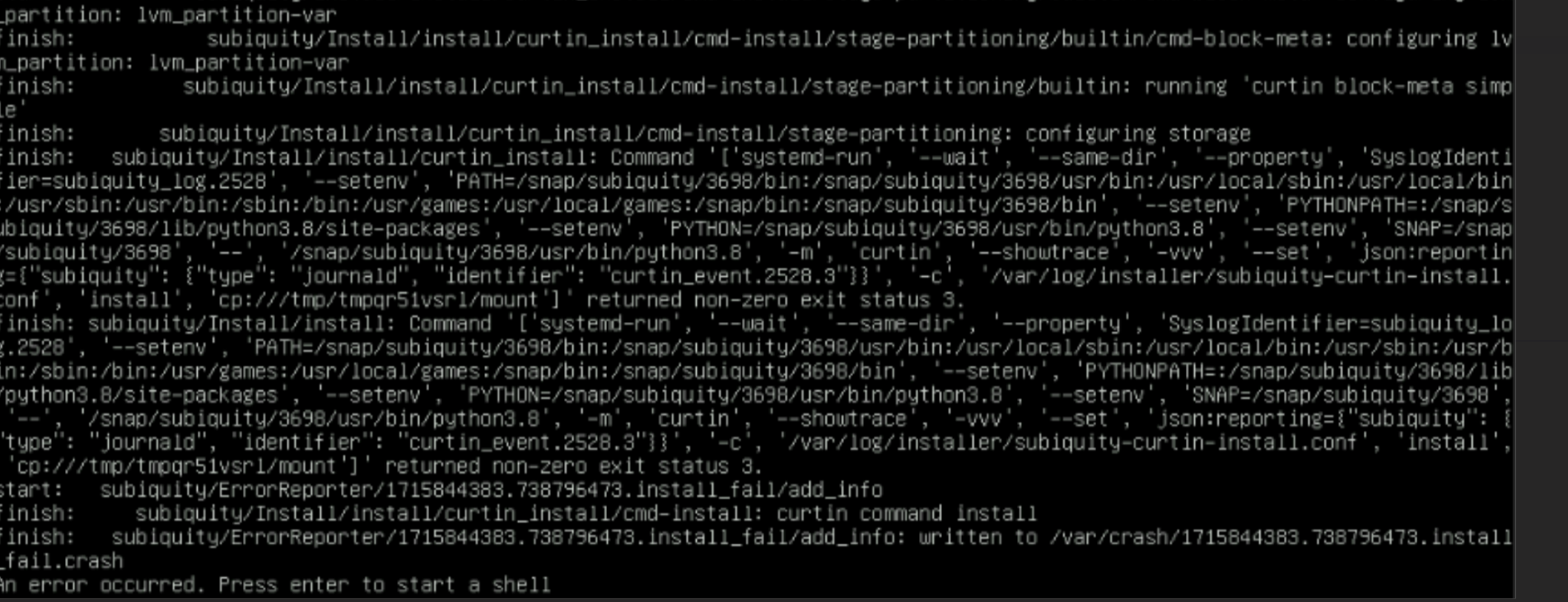
Potential Cause |
Resolution |
|---|---|
Disk partition may not have enough storage space per the requirements specified in |
Add more space to the server or modify the requirements specified in |
The provided ISO may be corrupt/incomplete. |
Download the ISO again, verify the checksum/download size and run the |
Hardware issues such as faulty disk, cable connectivity issues, or firmware issues present on the server |
Resolve the hardware issues and PXE boot the node. For example, for a faulty disk, replace the disk or create a RAID1 virtual disk. In case of a firmware issue, ensure that the latest firmware is applied. |
A virtual disk may not have been created |
Create a virtual disk and PXE boot the node. |
Re-run of the |
Initiate PXE boot on the remote node after completion of the |
The |
Increase memory if its low and restart the |
⦾ Why does the provisioning status of Kubernetes RoCE pod remain stuck at ‘Pending’ or ‘ContainerCreating’ state?
Potential Cause: This issue is encountered if incorrect parameter values are provided during the installation of the Kubernetes plugin for the RoCE NIC. For more information about the parameters and their accepted values, click here.
Resolution: If the RoCE pod is in ‘Pending’ or ‘ContainerCreating’ state, describe the pod to check for issues. If there is a mistake in the parameter values provided, use delete_roce_plugin.yml to delete the configurations made for the Kubernetes RoCE plugin, append the input/roce_plugin_config.yml with correct values and re-deploy the RoCE pod by executing deploy_roce_plugin.yml.
⦾ Why does the node get stuck in “standby” status and continuously PXE boots during the installation of AMD ROCm drivers in the cluster provisioning process?
Potential Cause: This can happen due to any hardware or firmware issues on the node.
Resolution: Resolve the underlying hardware or firmware issues and re-run the discovery_provision.yml playbook.
If you have any feedback about Omnia documentation, please reach out at omnia.readme@dell.com.