Telemetry and visualizations

The telemetry feature allows the set up of Omnia telemetry (to poll values from all Omnia provisioned nodes in the cluster) and/or iDRAC telemetry (To poll values from all eligible iDRACs in the cluster). It also installs Grafana and Loki as Kubernetes pods.

Note

In order to enable telemetry feature in Omnia, ensure to add telemetry in software_config.json.

To initiate telemetry support, fill out the following parameters in input/telemetry_config.yml:

Parameters

Parameter

Details

idrac_telemetry_support

boolean [1]

Required

  • Enables iDRAC telemetry support and visualizations.

  • Provide iDRAC IPs of the required nodes under idrac group in inventory files.

  • Values:

* false <- Default

* true

Note

When idrac_telemetry_support is true, mysqldb_user, mysqldb_password and mysqldb_root_password become mandatory.

omnia_telemetry_support

boolean [1]

Required

  • Starts or stops Omnia telemetry

  • If omnia_telemetry_support is true, then at least one of collect_regular_metrics or collect_health_check_metrics or collect_gpu_metrics should be true, to collect metrics.

  • If omnia_telemetry_support is false, telemetry acquisition will be stopped.

  • Values:

* false <- Default

* true

visualization_support

boolean [1]

Required

  • Enables visualizations.

  • Values:

* false <- Default

* true

Note

When visualization_support is true, grafana_username and grafana_password become mandatory.

k8s_prometheus_support

boolean

Optional

  • This variable signifies whether Kubernetes metrics will be collected by the Prometheus metrics exporter or not.

  • If the variable value is true, Kube Prometheus will be deployed on the kube_control_plane. Kube Prometheus is a set of Kubernetes manifests, tools, and configurations that makes it easier to set up and manage Prometheus monitoring in a Kubernetes environment.

  • For the complete list of Kubernetes metrics collected by Prometheus, click here

  • Values:

* true

* false <- Default

prometheus_scrape_interval

integer

Optional

  • Providing values to this variable is mandatory if k8s_prometheus_support is true.

  • This variable determines how frequently (time interval in seconds) the Prometheus exporter gathers the metrics from the target nodes.

  • This variable accepts values in seconds.

  • Default value: 15

prometheus_gaudi_support

boolean

Optional

  • This variable signifies whether Intel Gaudi metrics will be collected by the Gaudi Prometheus metrics exporter or not.

  • The k8s_prometheus_support variable must be true for the metrics to be collected.

  • Values:

* true

* false <- Default

Note

Support for Intel Gaudi metrics collection via Prometheus exporter is only available for clusters running on Ubuntu 22.04 or 24.04 OS.

k8s_service_addresses

string

Required

  • Kubernetes internal network for services.

  • This network must be unused in your network infrastructure.

  • Default value: "10.233.0.0/18"

k8s_cni

string

Required

  • Kubernetes SDN network.

  • Accepted values: “calico” or “flannel”.

  • Default value: "calico".

k8s_pod_network_cidr

string

Required

  • Kubernetes pod network CIDR for internal network. When used, it will assign IP addresses from this range to individual pods.

  • This network must be unused in your network infrastructure

  • Default value: "10.233.64.0/18"

pod_external_ip_range

string

Required

  • These addresses will be used by Loadbalancer for assigning External IPs to K8s services running on the OIM.

  • Make sure the IP range is not assigned to any node in the cluster.

  • If admin_nic network provided in network_spec.yml is in "10.11.0.0" network, then pod_external_ip_range should be in same network such as "10.11.0.60-10.11.0.70".

  • Acceptable formats: "10.11.0.100-10.11.0.150" , "10.11.0.0/16"

  • Provide a different IP range than that of external IP range mentioned in omnia_config.yml.

timescaledb_user

string

Required

  • Username used to access timescaleDB.

  • The username must not contain -,, ‘,”.

  • The Length of the username should be at least 2 characters.

timescaledb_password

string

Required

  • Password used to used to access timescaleDB.

  • The password must not contain -,, ‘,”.

  • The length of the password should be at least 2 characters.

  • The first character of the string should be an alphabet.

idrac_username

string

Optional

  • Username used to authenticate to iDRAC.

  • The username must not contain -,, ‘,”.

  • Required if idrac_telemetry_support is true.

idrac_password

string

Optional

  • Password used to authenticate to iDRAC.

  • The password must not contain -,, ‘,”.

  • Required if idrac_telemetry_support is true.

  • The first character of the string should be an alphabet.

mysqldb_user

string

Optional

  • Username used to authenticate to mysqldb.

  • The username must not contain -,, ‘,”.

  • The length of the username should be at least 2 characters.

  • Required if idrac_telemetry_support is true.

mysqldb_password

string

Optional

  • Password used to authenticate to mysqldb.

  • The password must not contain -,, ‘,”.

  • The length of the password should be at least 2 characters.

  • Required if idrac_telemetry_support is true.

  • The first character of the string should be an alphabet.

mysqldb_root_password

string

Optional

  • Password used to authenticate to mysqldb as a root user.

  • The password must not contain -,, ‘,”.

  • The length of the password should be at least 2 characters.

  • Required if idrac_telemetry_support is true.

  • The first character of the string should be an alphabet.

omnia_telemetry_collection_interval

integer

Required

  • This variable denotes the time interval (seconds) of telemetry data collection from required compute nodes.

  • Range (seconds): 60-3600 [1 minute to 1 hour]

  • Default value: 300

collect_regular_metrics

boolean [1]

Required

  • This variable is used to enable metric collection part of the regular metric group.

  • For a list of regular metrics collected, click here.

  • Values:

* true <- Default

* false

collect_health_check_metrics

boolean [1]

Required

  • This variable is used to enable metric collection part of the health check metric group.

  • For a list of health metrics collected, click here.

  • Values:

* true <- Default

* false

collect_gpu_metrics

boolean [1]

Required

  • This variable is used to enable metric collection related to GPU.

  • For a list of GPU metrics collected, click here.

  • Values:

* true <- Default

* false

fuzzy_offset

integer

Required

  • This variable is used to set an appropriate time interval in seconds for all cluster nodes so that they do not congest the admin network.

  • Individual nodes generate a random number between 0 and fuzzy_offset and telemetry data collection of that node initially waits for that much of second before starting data collection.

  • Default value (seconds): 60

  • For large clusters, a higher value is recommended.

  • This value should be less than or equal to the value of omnia_telemetry_collection_interval but greater than or equal to 60.

metric_collection_timeout

integer

Required

  • This variable is used to define data collection timeout period in seconds.

  • Default value: 5

  • This value should be less than the value of omnia_telemetry_collection_interval but greater than 0.

grafana_username

string

Optional

  • The username for grafana UI

  • The length of username should be at least 5

  • The username must not contain -,, ‘,”

  • Mandatory when visualization_support is true.

grafana_password

string

Optional

  • The password for grafana UI

  • The length of password should be at least 5

  • The password must not contain -,, ‘,”

  • The password cannot be set to ‘admin’.

  • The first character of the string should be an alphabet.

  • Mandatory when visualization_support is true.

mount_location

string

Optional

  • At this location grafana persistent volume will be created.

  • If using telemetry, all telemetry related files will also be stored and both timescale and mysql databases will be mounted to this location.

  • ‘/’ is mandatory at the end of the path.

  • Default value: “/opt/omnia/telemetry/”

Note

The input/telemetry_config.yml file is encrypted during the execution of omnia.yml playbook. Use the below commands to edit the encrypted input files:

ansible-vault edit telemetry_config.yml --vault-password-file .telemetry_vault_key

Once you have executed discovery_provision.yml and has also provisioned the cluster, initiate telemetry on the cluster as part of omnia.yml, which configures the cluster with scheduler, storage and authentication using the below command.

ansible-playbook omnia.yml -i inventory

Optionally, you can initiate only telemetry using the below command:

ansible-playbook telemetry.yml -i inventory

Note

  • To run the telemetry.yml playbook independently from the omnia.yml playbook on Intel Gaudi nodes, start by executing the performance_profile.yml playbook. Once that’s done, you can run the telemetry.yml playbook separately.

  • Depending on the type of telemetry initiated, include the following possible groups in the inventory:

    • omnia_telemetry: slurm_control_node, slurm_node, login, kube_control_plane, kube_node, etcd, auth_server

    • idrac_telemetry: idrac

    • k8s_telemetry on Prometheus: kube_control_plane, kube_node, etcd

  • If you would like a local backup of the timescaleDB used to store telemetry data, click here.

After initiation, new iDRACs can be added for idrac_telemetry acquisition by running the following commands:

ansible-playbook add_idrac_node.yml -i inventory

Modifying telemetry information

To modify how data is collected from the cluster, modify the variables in omnia/input/telemetry_config.yml and re-run the telemetry.yml playbook.

  • When omnia_telemetry_support is set to false, Omnia Telemetry Acquisition service will be stopped on all cluster nodes provided in the passed inventory.

  • When omnia_telemetry_support is set to true, Omnia Telemetry Acquisition service will be restarted on all cluster nodes provided in the passed inventory.

  • To start or stop the collection of regular metrics, health check metrics, or GPU metrics, update the values of collect_regular_metrics, collect_health_check_metrics, or collect_gpu_metrics. For a list of all metrics collected, click here.

Note

  • Currently, changing the grafana_username and grafana_password values is not supported via telemetry.yml.

  • The passed inventory should have an idrac group, if idrac_telemetry_support is true.

  • If omnia_telemetry_support is true, then the inventory should have OIM and cluster node groups (as specified in the sample files) along with optional login group.

  • If a subsequent run of telemetry.yml fails, the telemetry_config.yml file will be unencrypted.

To access the Grafana UI

Prerequisites

  • visualisation_support should be set to true when running telemetry.yml or omnia.yml.

  1. Find the IP address of the Grafana service using kubectl get svc -n grafana

../_images/grafanaIP.png
  1. Login to the Grafana UI by connecting to the cluster IP of grafana service obtained above via port 5000, that’s http://xx.xx.xx.xx:5000/login
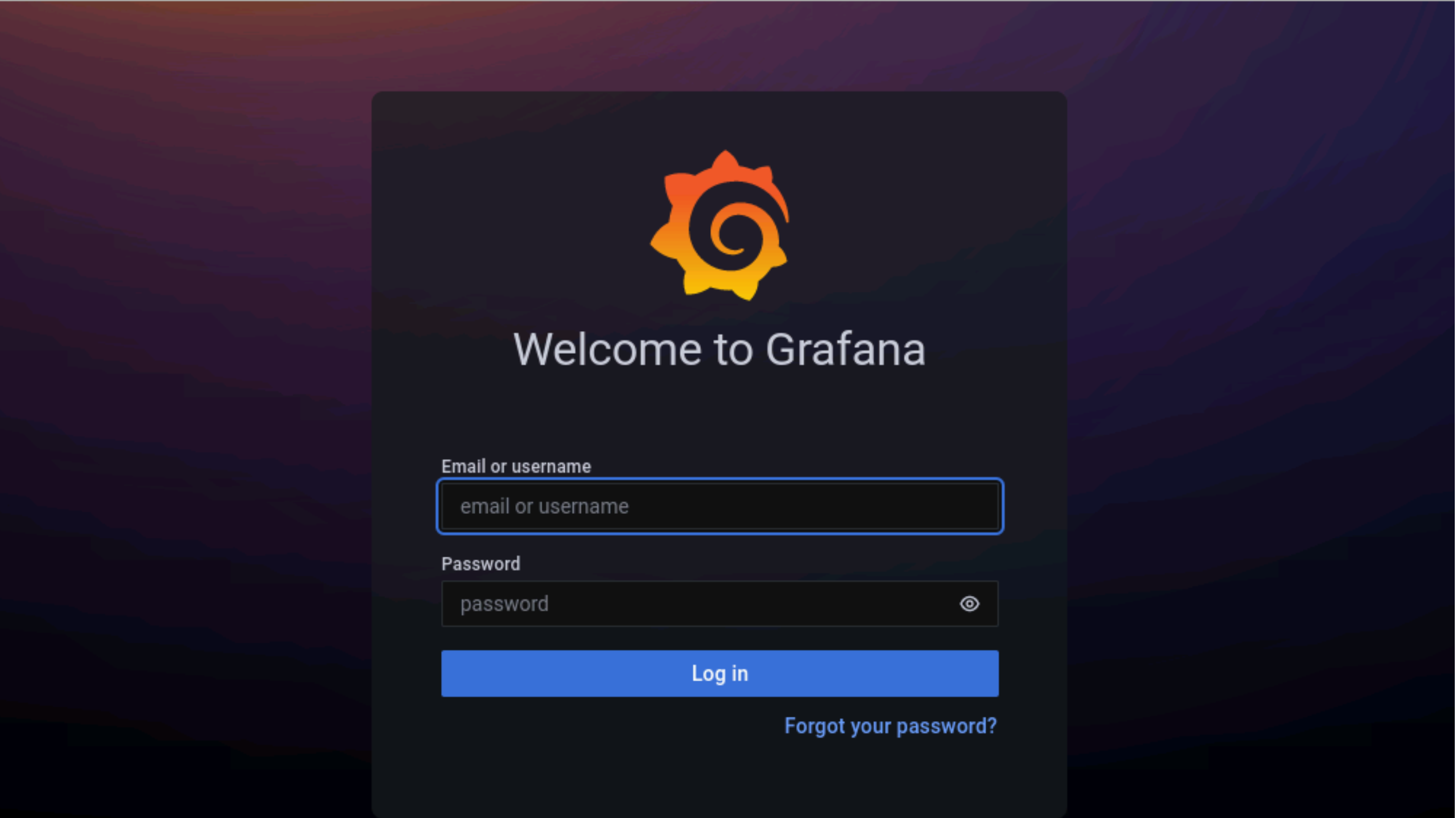
../_images/Grafana_login.png
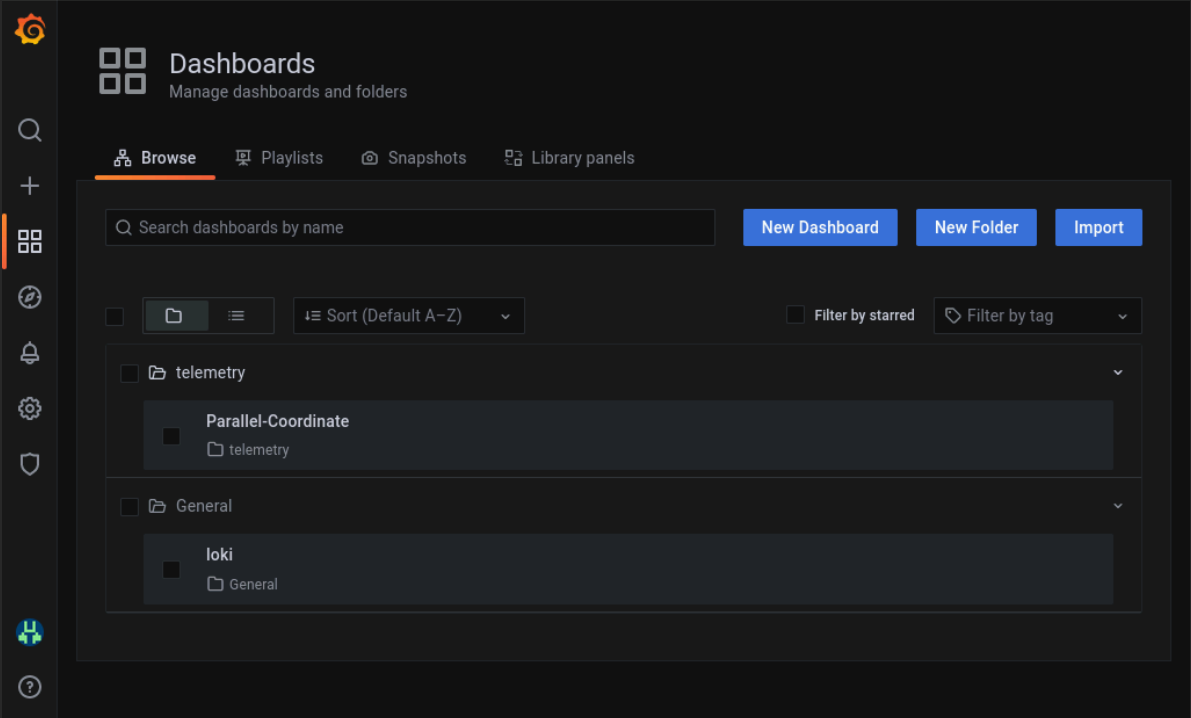
  1. Enter the grafana_username and grafana_password as mentioned in input/telemetry_config.yml.

../_images/Grafana_Dashboards.png

Loki log collections can viewed on the explore section of the grafana UI.

images/Grafana_Loki.png

Datasources configured by Omnia can be viewed as seen below.
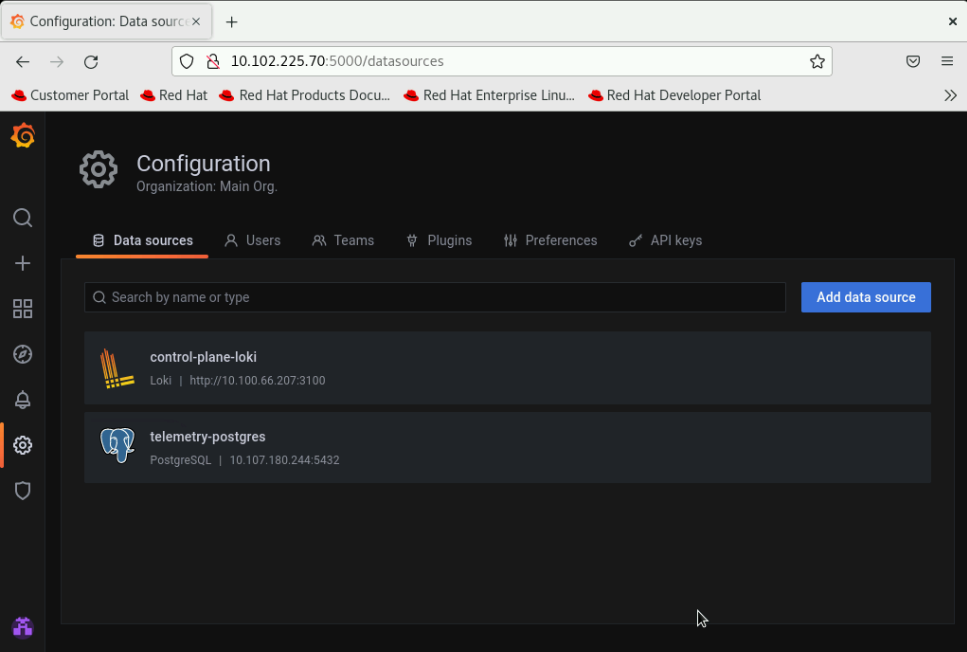
../_images/GrafanaDatasources.png

To use Loki for log filtering

  1. Login to the Grafana UI by connecting to the cluster IP of grafana service obtained above via port 5000. That is http://xx.xx.xx.xx:5000/login

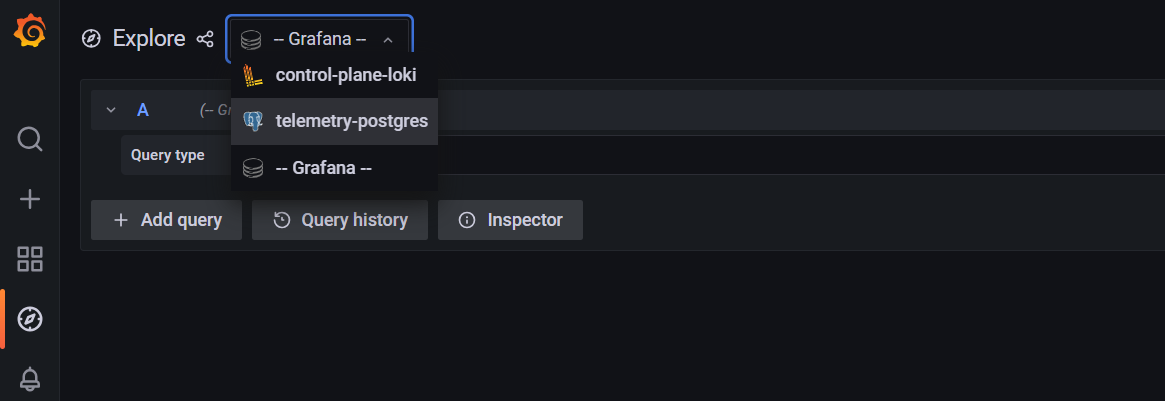
  2. In the Explore page, select control-plane-loki.
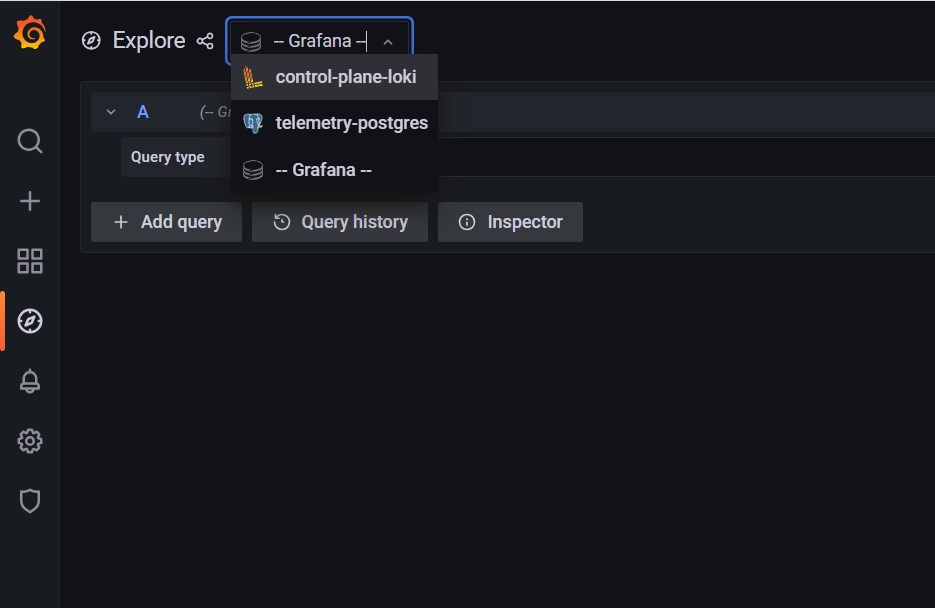
../_images/Grafana_ControlPlaneLoki.png
  1. The log browser allows you to filter logs by job, node and/or user.

Example

(job)= "cluster deployment logs") |= "nodename"
(job="compute log messages") |= "nodename" |="node_username"

To use Grafana to view telemetry data

  1. Login to the Grafana UI by connecting to the cluster IP of grafana service obtained above via port 5000. That is http://xx.xx.xx.xx:5000/login

  2. In the Explore page, select telemetry-postgres.
../_images/Grafana_Telemetry_PostGRES.png
  1. The query builder allows you to create SQL commands that can be used to query the omnia_telemetry.metrics table. Filter the data required using the following fields:

  • id: The name of the metric.

  • context: The type of metric being collected (Regular Metric, Health Check Metric and GPU metric).

  • label: A combined field listing the id and context row values.

  • value: The value of the metric at the given timestamp.

  • unit: The unit measure of the metric (eg: Seconds, kb, percent, etc.)

  • system: The service tag of the cluster node.

  • hostname: The hostname of the cluster node.

  • time: The timestamp at which the metric was polled from the cluster node.

iDRAC telemetry data from Grafana
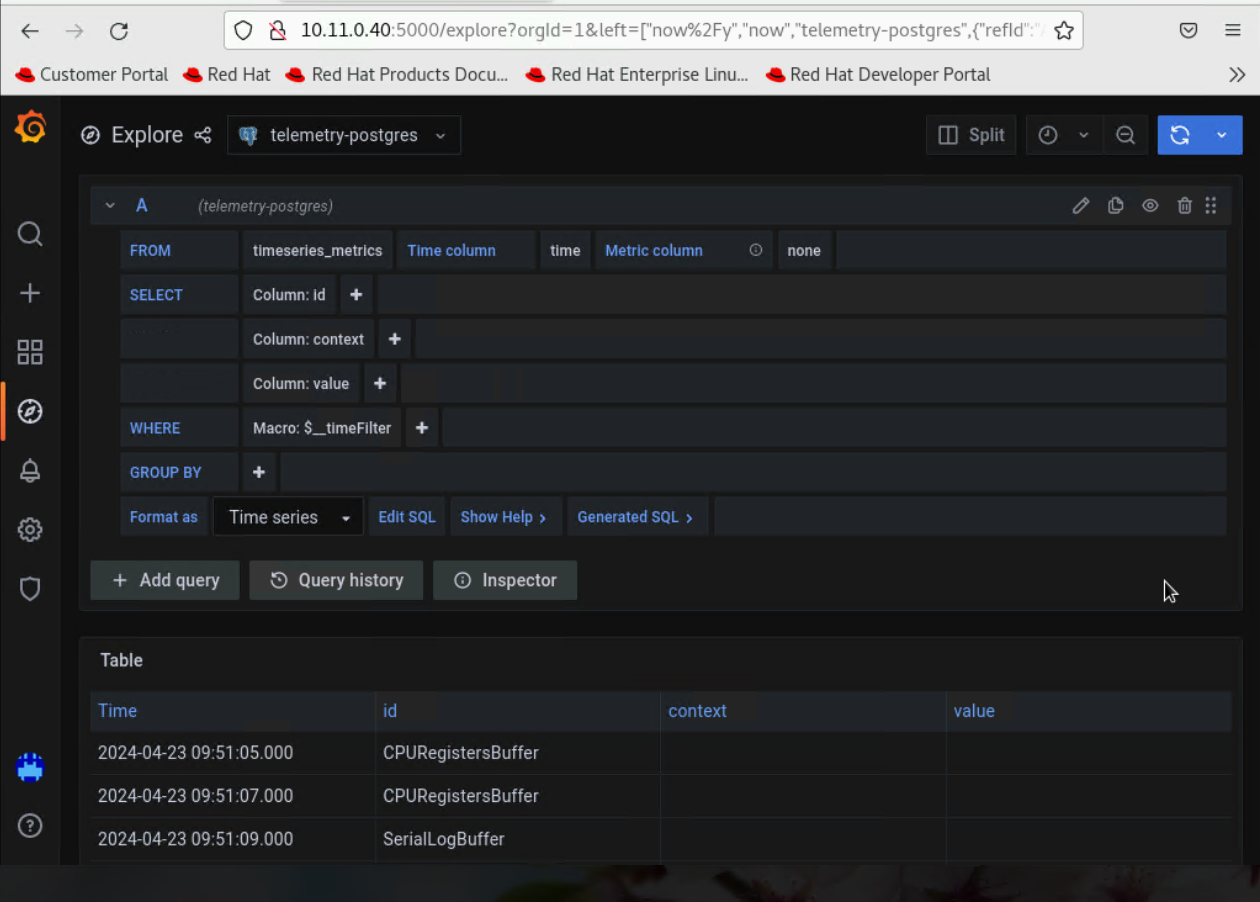
../_images/idractelemetry.png

Note

If you are more comfortable using SQL queries over the query builder, click on Edit SQL to directly provide your query. Optionally, the data returned from a query can be viewed as a graph.

Visualizations

If idrac_telemetry_support and visualisation_support is set to true, Parallel Coordinate graphs can be used to view system statistics.

If you have any feedback about Omnia documentation, please reach out at omnia.readme@dell.com.