Provision
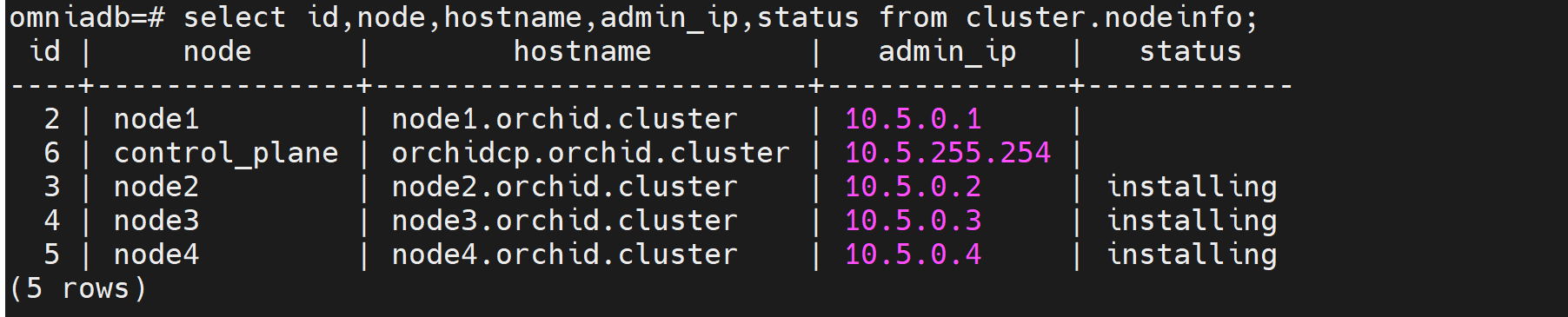
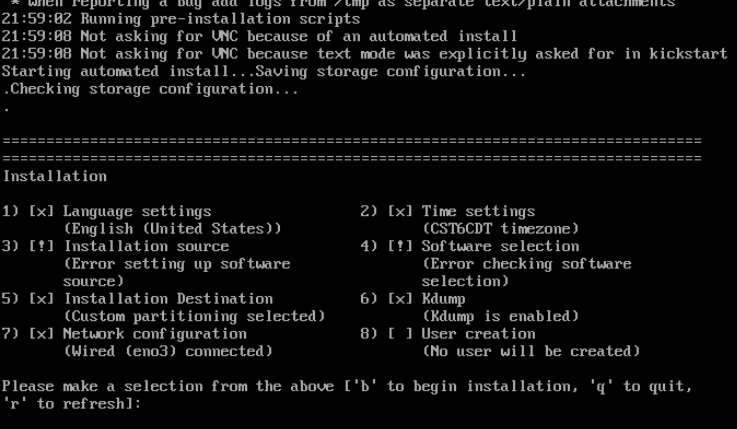
⦾ Why does the provisioning status of RHEL/Rocky Linux remote servers remain stuck at ‘installing’ in cluster.nodeinfo (omniadb)?
Potential Cause |
Resolution |
|---|---|
Disk partition may not have enough storage space per the requirements specified in |
Add more space to the server or modify the requirements specified in |
The provided ISO may be corrupt/incomplete. |
Download the ISO again, verify the checksum/download size and run the |
Hardware issues such as faulty disk, cable connectivity issues, or firmware issues present on the server |
Resolve the hardware issues and PXE boot the node. For example, for a faulty disk, replace the disk or create a RAID1 virtual disk. In case of a firmware issue, ensure that the latest firmware is applied. |
A virtual disk may not have been created |
Create a virtual disk and PXE boot the node. |
Re-run of the |
Initiate PXE boot on the remote node after completion of the |
The |
Increase memory if its low and restart the |
⦾ Why do subscription errors occur on RHEL OIM when rhel_repo_local_path in input/provision_config.yml is not provided and OIM does not have an active subscription?

For many of Omnia’s features to work, RHEL OIMs need access to the following repositories:
AppStream
BaseOS
This can only be achieved using local repos specified in rhel_repo_local_path (input/provision_config.yml).
Note
To enable the repositories, run the following commands:
subscription-manager repos --enable=codeready-builder-for-rhel-8-x86_64-rpms
subscription-manager repos --enable=rhel-8-for-x86_64-appstream-rpms
subscription-manager repos --enable=rhel-8-for-x86_64-baseos-rpms
Verify your changes by running:
yum repolist enabled
If you have any feedback about Omnia documentation, please reach out at omnia.readme@dell.com.