Provision
⦾ Why is the provisioning status of my target servers stuck at ‘powering-on’ in the cluster.info (omniadb)?
Potential Cause:
Hardware issues (Auto-reboot may fail due to hardware tests failing)
The target node may already have an OS and the first boot PXE device is not configured correctly.
Resolution:
Resolve/replace the faulty hardware and PXE boot the node.
Target servers should be configured to boot in PXE mode with the appropriate NIC as the first boot device.
⦾ What to do if PXE boot fails while discovering target nodes via switch_based discovery with provisioning status stuck at ‘powering-on’ in cluster.nodeinfo (omniadb):
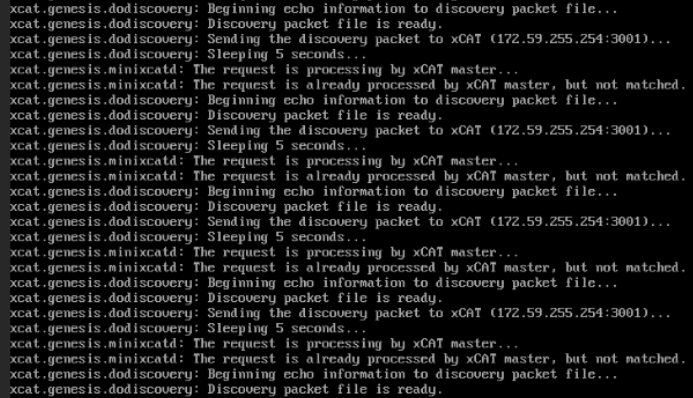
Rectify any probable causes like incorrect/unavailable credentials (
switch_snmp3_usernameandswitch_snmp3_passwordprovided ininput/provision_config.yml), network glitches, having multiple NICs with the same IP address as the OIM, or incorrect switch IP/port details.Run the clean up script by:
cd utils
ansible-playbook oim_cleanup.yml
Re-run the provision tool (
ansible-playbook discovery_provision.yml).
⦾ Why are the status and admin_mac fields not populated for specific target nodes in the cluster.nodeinfo table?
Causes:
Nodes do not have their first PXE device set as designated active NIC for PXE booting.
Nodes that have been discovered via multiple discovery mechanisms may list multiple times. Duplicate node entries will not list MAC addresses.
Resolution:
Configure the first PXE device to be active for PXE booting.
PXE boot the target node manually.
Duplicate node objects (identified by service tag) will be deleted automatically. To manually delete node objects, use
utils/delete_node.yml.
⦾ What to do if user login fails when accessing a cluster node?
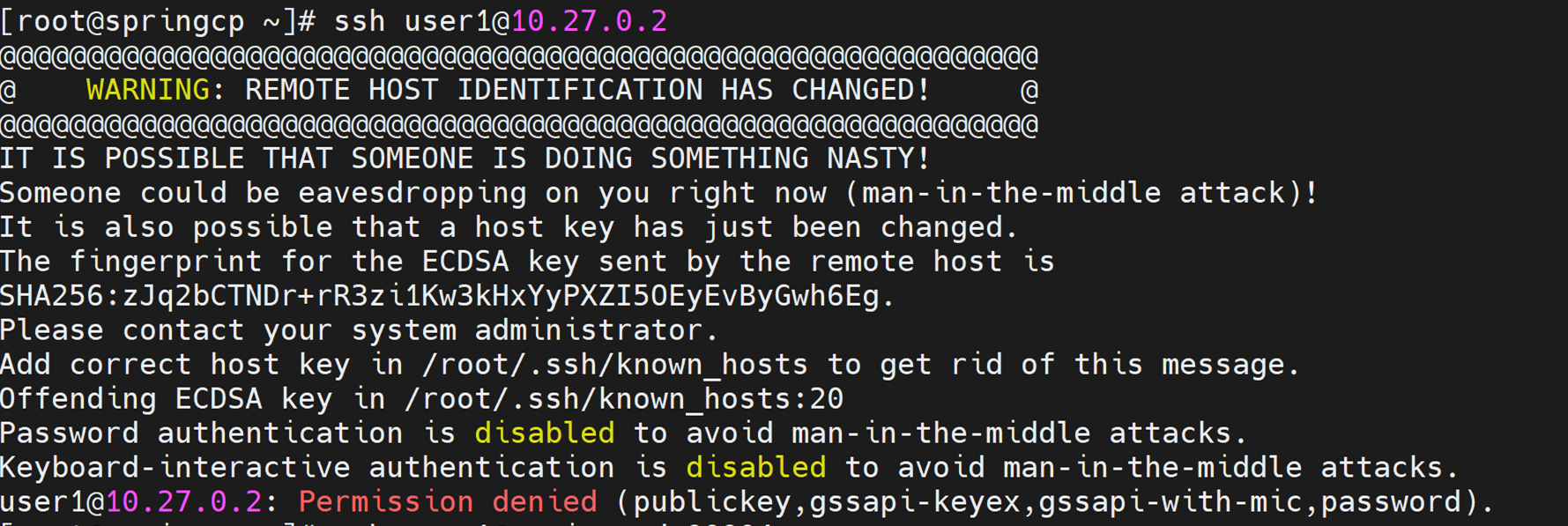
Potential Cause: SSH key on the OIM may be outdated.
Resolution:
Refresh the key using
ssh-keygen -R <hostname/server IP>.Retry login.
⦾ Why is the node status stuck at ‘powering-on’ or ‘powering-off’ after a OIM reboot?
Potential Cause: The nodes were powering off or powering on during the OIM reboot/shutdown.
Resolution: In the case of a planned shutdown, ensure that the OIM is shut down after the compute nodes. When powering back up, the OIM should be powered on and xCAT services resumed before bringing up the compute nodes. In short, have the OIM as the first node up and the last node down.
For more information, click here
⦾ What to do if the Lifecycle Controller (LC) is not ready?
Resolution:
Verify that the LC is in a ready state for all servers using:
racadm getremoteservicesstatusPXE boot the target server.
If you have any feedback about Omnia documentation, please reach out at omnia.readme@dell.com.