Timescale DB
Accessing the timescale DB
Check the IP of the control plane (
ifconfig):3: eno8403: <BROADCAST,MULTICAST,UP,LOWER_UP> mtu 1500 qdisc mq state UP group default qlen 1000 link/ether b4:45:06:eb:da:4e brd ff:ff:ff:ff:ff:ff inet 198.168.0.11/24 brd 198.168.0.255 scope global dynamic noprefixroute eno8403 validlft 30884289sec preferred_lft 30884289sec ínet6 fe80::b645:6ff:feeb:da4e/64 scope link noprefixroute validlft forever preferredlft forever
Check the external port on which timescaleDB is running (
kubectl get svc -A):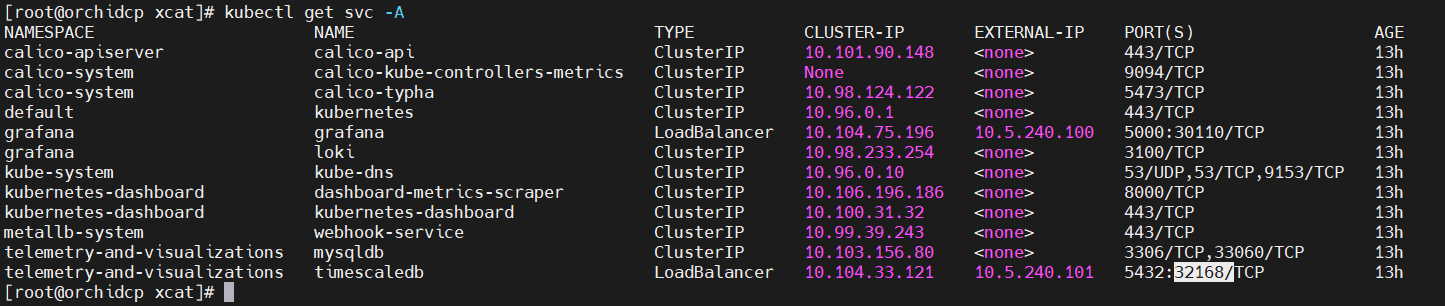
Connect to DB (
psql -h <EXTERNAL-IP:of timescaledb> -p <timescaledb_port> -U <timescaledb_username> -d telemetry_metrics)
Note
You will be prompted for the timescaledb password before being given access.
Query the database using SQL syntax.
Example:
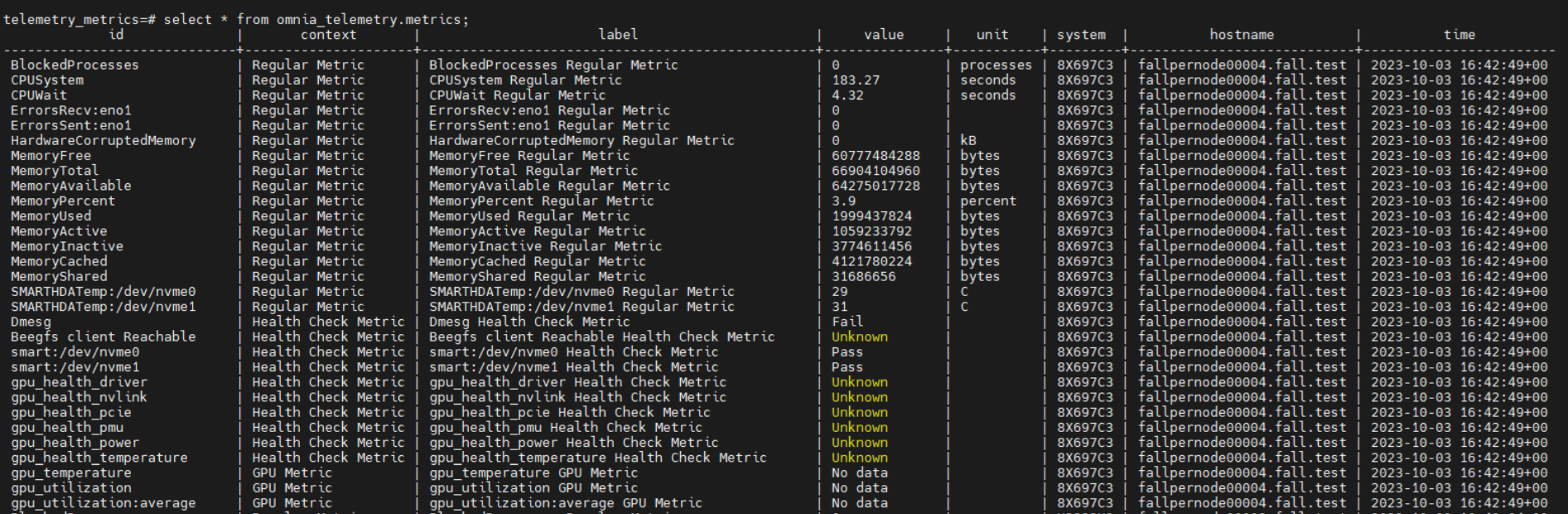
For Omnia telemetry:
select * from omnia_telemetry.metrics;
For iDRAC telemetry:
select * from public.timeseries_metrics;
Query for Omnia telemetry
Query for iDRAC telemetry
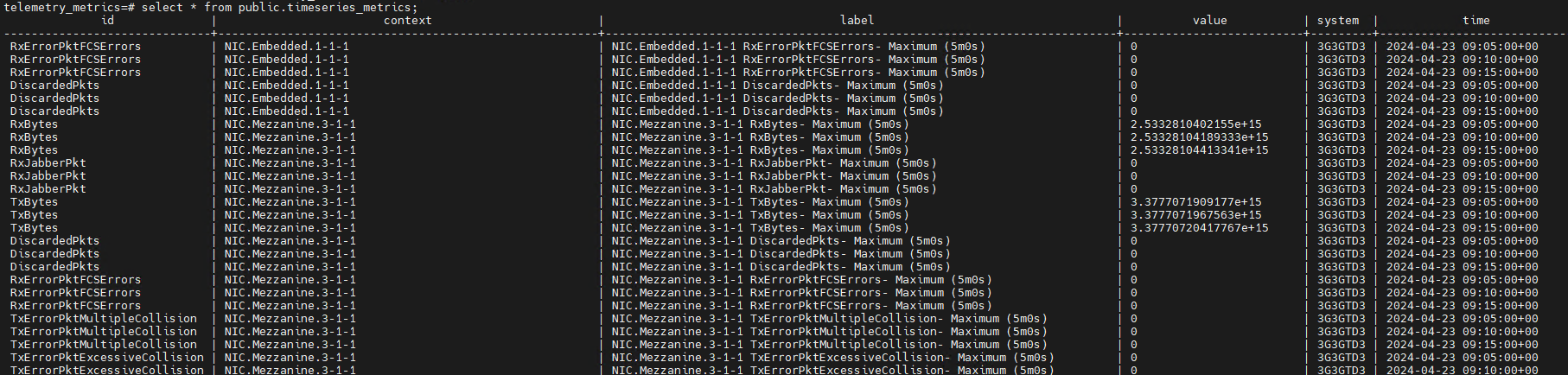
For the entire set of iDRAC telemetry metrics, click here.
Data retention policy
The omnia_telemetry.metrics has a data retention policy that ensures data is stored for 2 months only. A cleanup job is run everyday to purge metrics older than 60 days.
If you have any feedback about Omnia documentation, please reach out at omnia.readme@dell.com.