Alternate method to install the AMD ROCm platform
The accelerator role allows users to set up the AMD ROCm platform. This tools allow users to unlock the potential of installed AMD GPUs.
Ensure that the ROCm local repositories are configured using the local_repo.yml script.
Ensure that the input/software_config.json contains valid amdgpu and rocm version. See input parameters for more information.
Note
Nodes provisioned using the Omnia provision tool do not require a RedHat subscription to run
accelerator.ymlon RHEL target nodes.For RHEL target nodes not provisioned by Omnia, ensure that RedHat subscription is enabled on all target nodes. Every target node will require a RedHat subscription.
AMD ROCm driver installation is not supported by Omnia on Rocky Linux cluster nodes.
To install all the latest GPU drivers and toolkits, run:
cd accelerator
ansible-playbook accelerator.yml -i inventory
The following configurations take place when running accelerator.yml
Servers with AMD GPUs are identified and the latest GPU drivers and ROCm platforms are downloaded and installed.
Servers with no GPU are skipped.
User permissions for ROCm platforms
To add an user to the
renderandvideogroup, use the following command:sudo usermod -a -G render,video <user>
Note
<user> is the system name of the end user.
This command must be run with
rootpermissions.If the root user wants to provide access to other users and their individual GPU nodes, the previous command needs to be run on all of them separately.
To enable users to use rocm tools, use the following command as shown in the below added sample file:
/opt/rocm/bin/<rocm command>
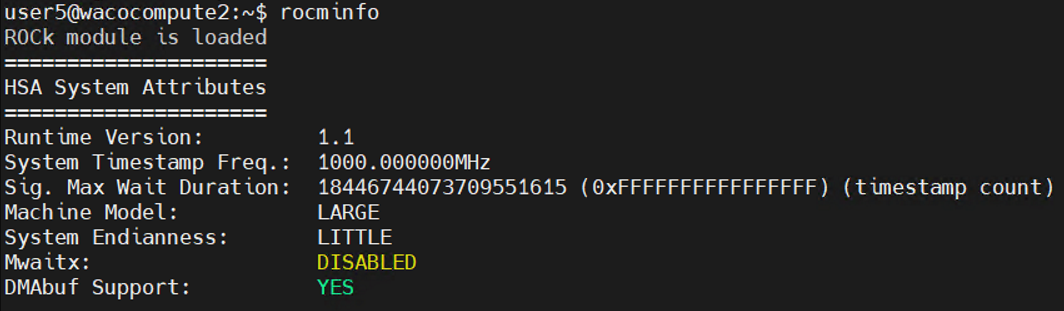
For any configuration changes, check out ROCm’s official documentation here.
If you have any feedback about Omnia documentation, please reach out at omnia.readme@dell.com.